


TouchEngine
The TouchEngine node allows the integration of TouchDesigner projects directly into a Screenberry pipeline using the TouchEngine API . Video streams obtained from TouchEngine can be used as a texture or as a composition layer. Incoming data streams can be used to provide Screenberry with information like tracking coordinates, object properties, DMX values, touch events, and any other real-time data.
Note: TouchDesigner version 2020.28110 or newer is required. We recommend using the latest official release.
Note: TouchEngine requires an installed version of TouchDesigner along with any paid license. When TouchEngine is run, it automatically locates the TouchDesigner application on the user’s system suitable for use.
Note: It is not required to run TouchDesigner for TouchEngine to work.
To make a TouchDesigner project available for integration:
- In the TouchDesigner project, create the needed In and Out operators of the required types.
- Save the project as a component (.tox file).
To integrate the TouchDesigner project into Screenberry:
- Add the TouchEngine node to the Node Graph.
- In the node’s Settings panel, select and load the
.toxfile. - After the file loads, Screenberry automatically discovers its exposed inputs, outputs, and custom parameters and creates the corresponding node parameters.
- Connect the resulting input and output pins to the required nodes.
Currently, TOP, CHOP, and DAT input and output operators are supported by the TouchEngine API:
- TOP — an operator family that creates, composites, and modifies images, and reads/writes images and movies to/from files and the network. TOPs run on the graphics card’s GPU.
- CHOP — an operator family which operates on Channels (a series of numbers) that are used for animation, audio, mathematics, simulation, logic, UI construction, and many other applications.
- DAT — an operator family that manipulates text strings: multi-line text or tables. Multi-line text is often a command script but can be any multi-line text. Tables are rows and columns of cells, each containing a text string.
The automatically discovered input and output parameters provide corresponding pins on the TouchEngine node. Connect these pins to other nodes to exchange the exposed data.
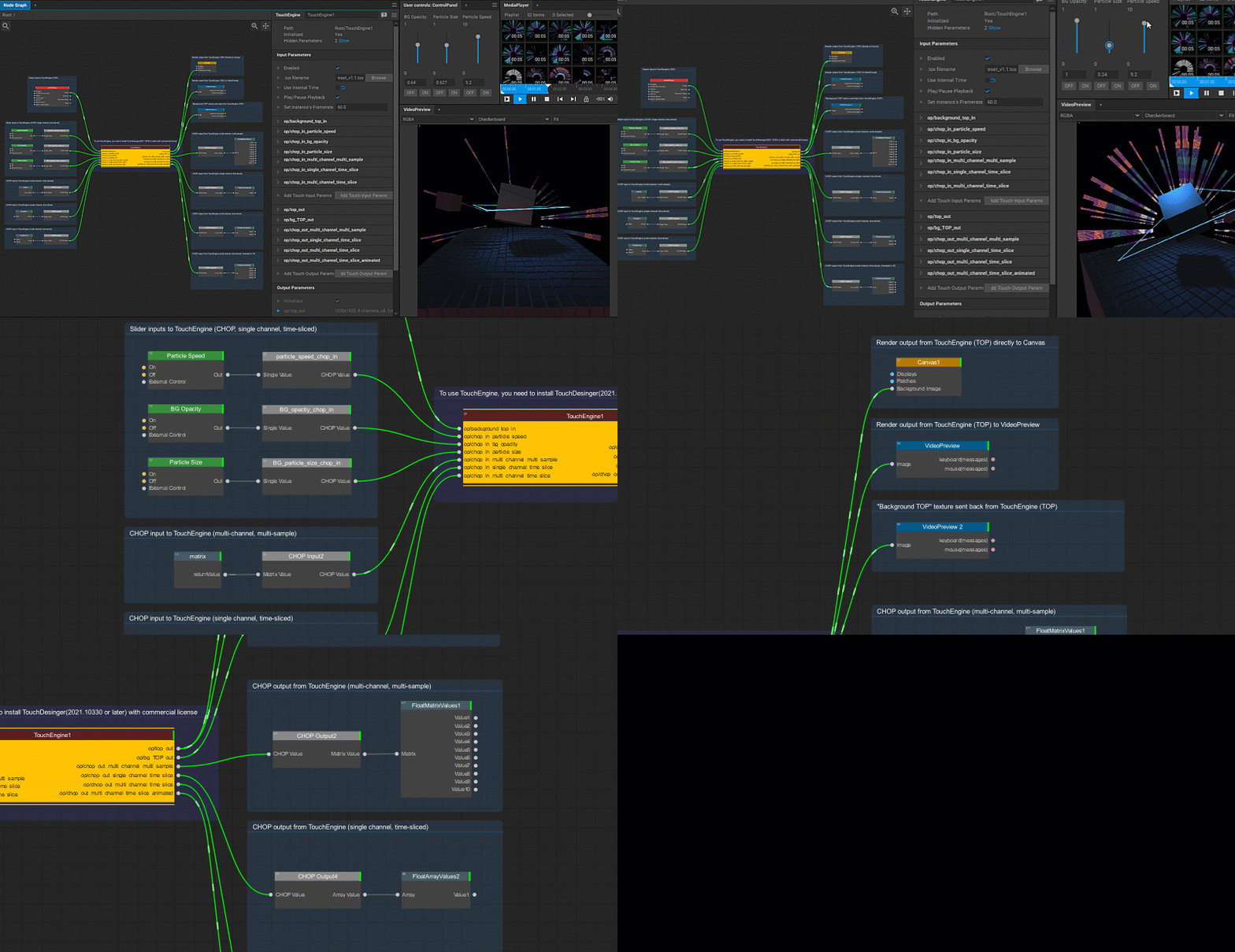
Example of a node tree with the TouchEngine node. You can download these sample Screenberry and TouchDesigner projects .
Last updated on