


Render Target
The Render Target node has the same functionality as the Canvas node but is used for off-screen image rendering.
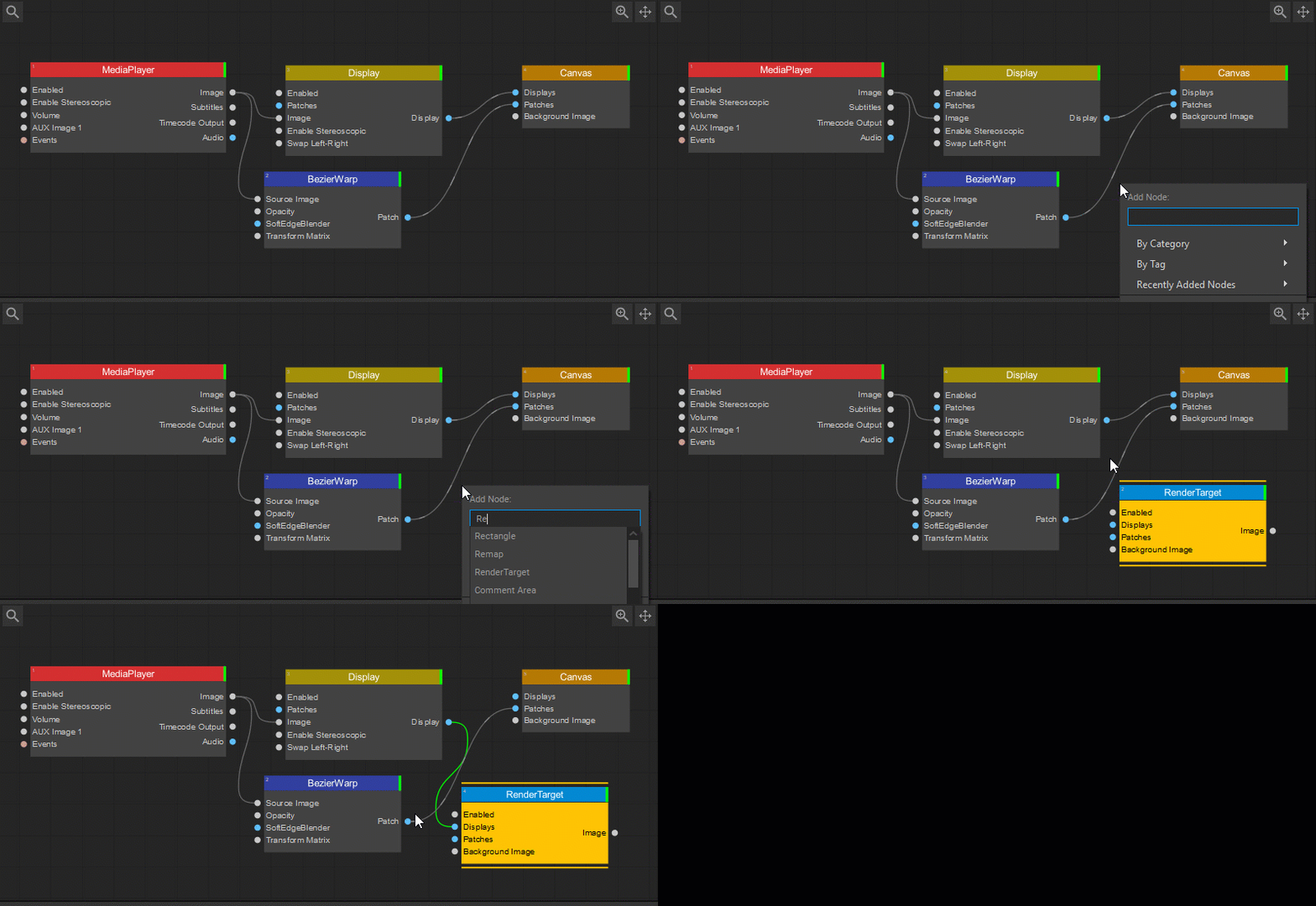
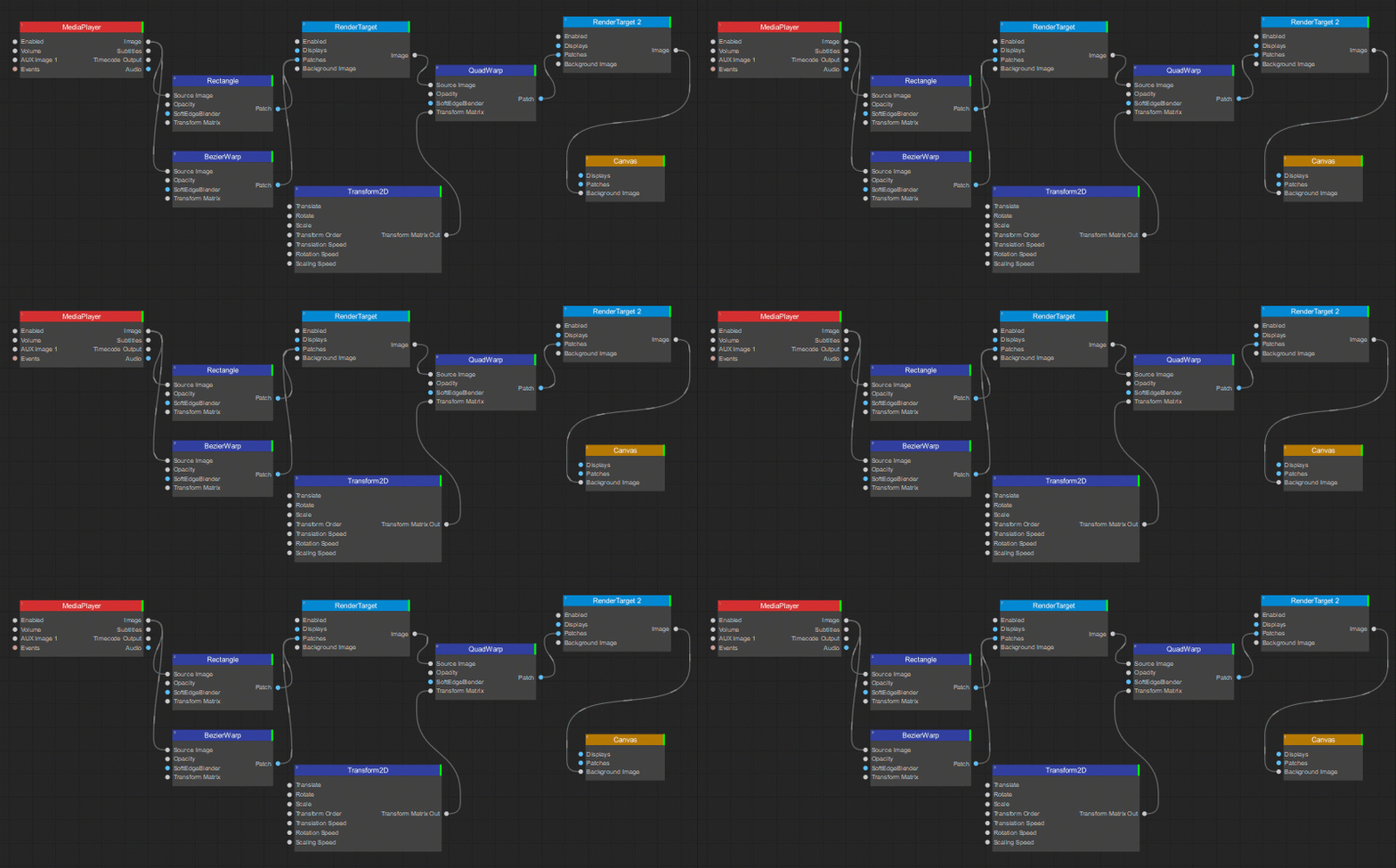
The Render Target node is often used to obtain an intermediate result in a series of image geometry transformations.
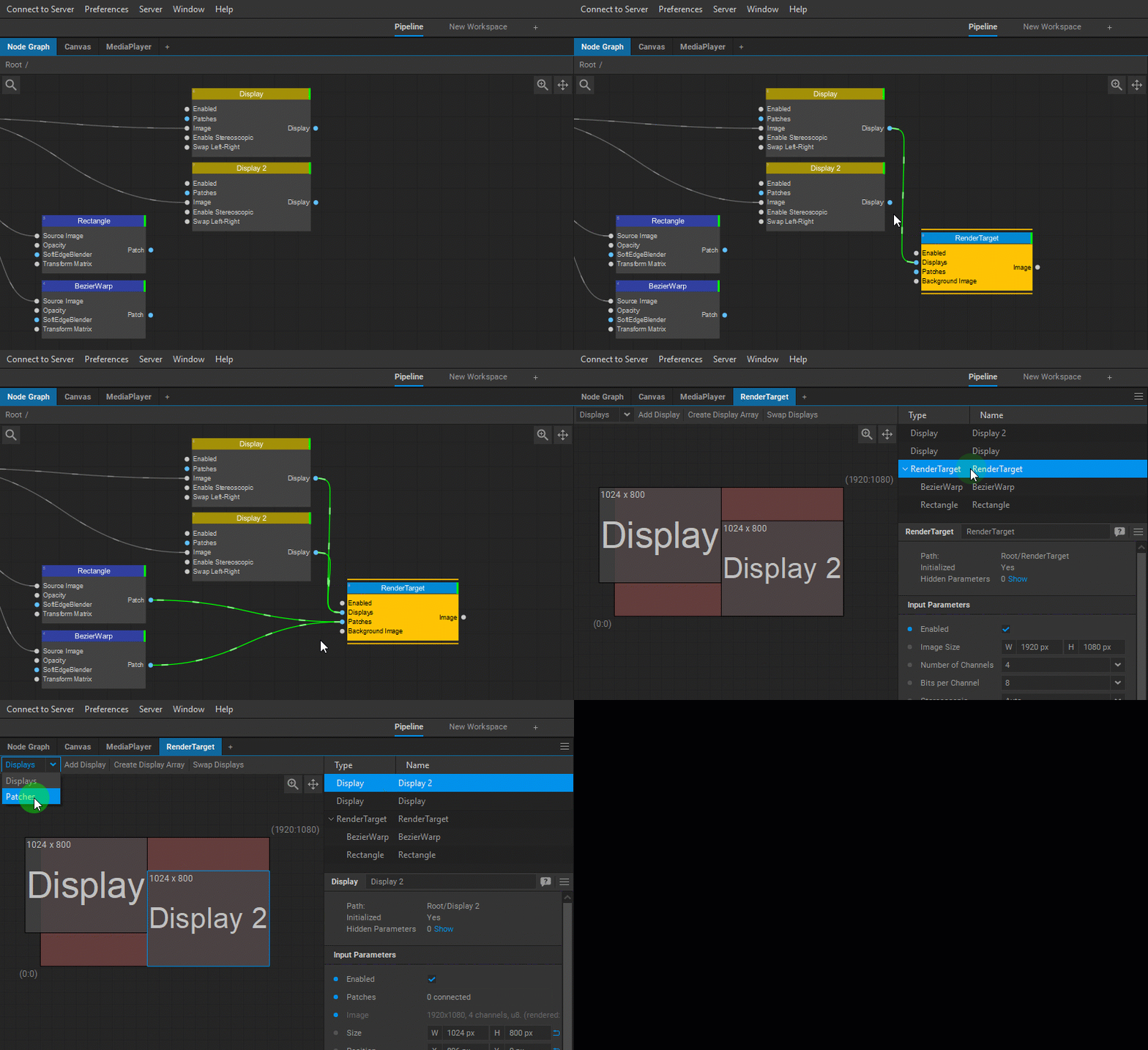
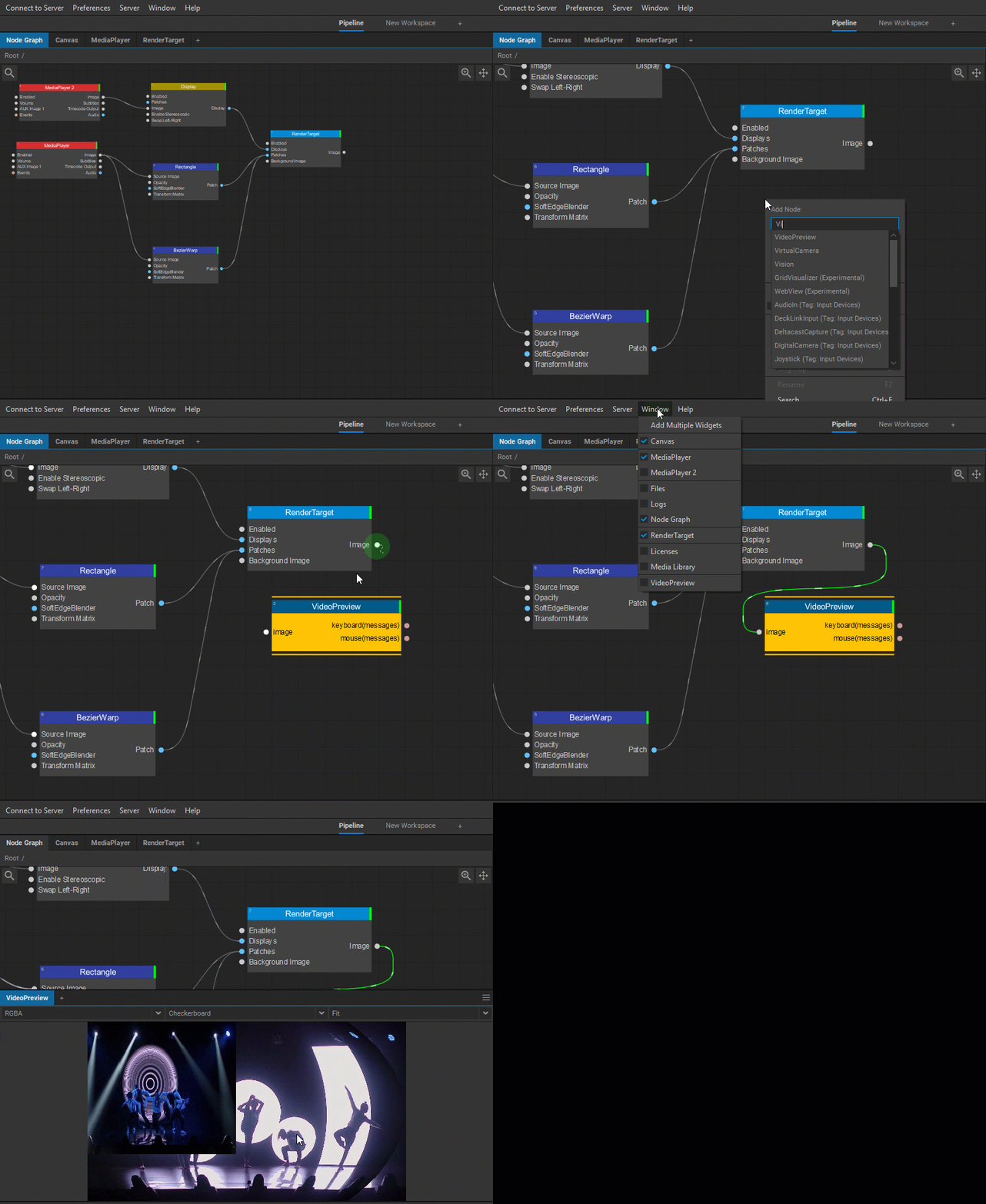
When the Render Target node is added in the Node Graph, a corresponding widget becomes accessible that allows editing Displays and Patches connected to the Render Target node. The widget can be added to the workspace by selecting Window > [Render Target Name] from the main Screenberry Panel menu. For more information on editing displays and patches see the Display Editor and Patch Editor sections of this user guide.
To preview the Render Target resulting image, the node can be connected to the Video Preview node, which has its own widget that can be added to the workspace.
The Settings panel of the Render Target node offers the following control and information parameters:
| Enabled | Enables or disables the Render Target node. |
| Image Size | Sets the output width (W) and height (H) in pixels. The default is 1920 × 1080. |
| Number of Channels | Specifies the number of channels for the rendered image. |
| Bits per Channel | Specifies the color depth for the rendered image. |
| Stereoscopic | Enables/disables stereoscopic image |
| Multisample Anti-Aliasing (MSAA) | Smooths the edges of patches rendered directly to the Render Target or its connected Display nodes. |
| Color Buffer | Enables use of a color buffer. |
| Depth Buffer | Enables use of a depth buffer. |
| Displays | Displays information about the number of Display nodes connected to the Render Target node. |
| Patches | Displays information about the number of Patch nodes connected to the Render Target node. |
| Background Image | Provides information about the image source connected to this Render Target as its background image. |
| Image Wrap Mode | Selects how the image is sampled outside its texture boundaries. Clamp to Black returns black outside the image; Repeat Edge Pixels extends the colors of the nearest edge pixels. |
| Image Format | Accepts the reference image used by Use External Image Format. Its pin is hidden by default; show the pin to connect an image. |
| Use External Image Format | Selects which properties to use from the image connected to Image Format. • Disabled — uses the Render Target node’s own image size and pixel format. • Size and Pixel Format — uses both the dimensions and pixel format of the connected image. • Pixel Format Only — uses the connected image’s pixel format while retaining the Render Target node’s own Image Size. |
| Image | Outputs the rendered image. |
Last updated on