


Rectangle
The Rectangle node is a patch for applying planar rectangle-based modifications and is commonly used to scale, align and position the image on rectangular screens (mainly LED) or to create a picture-in-picture effect by combining multiple media sources on a single screen. In a typical setup, the Rectangle node receives a source image as the input and outputs the modified image to the Display or Canvas node.
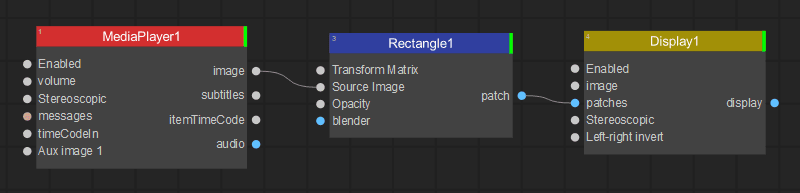
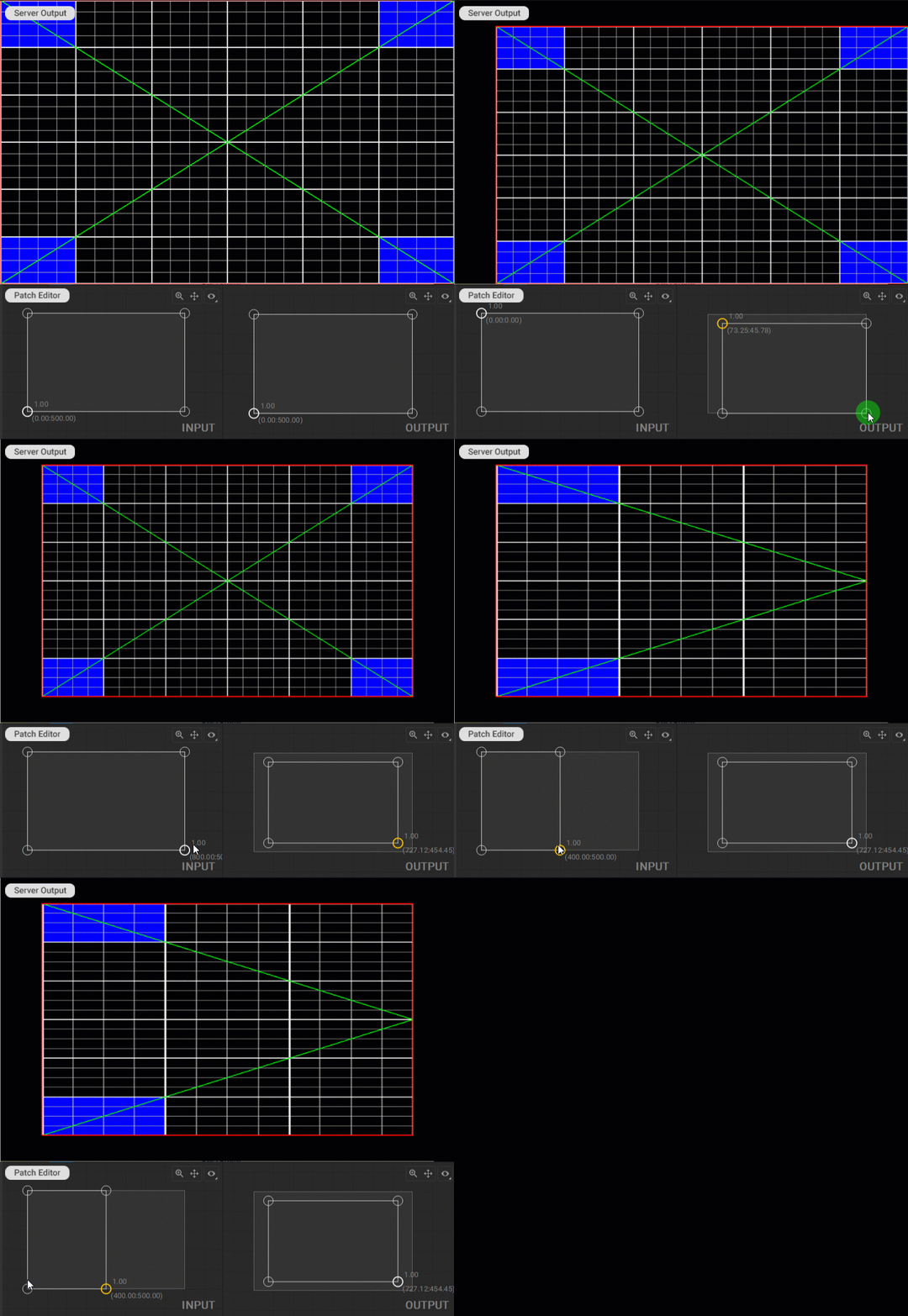
To modify image geometry and mapping using the Rectangle patch in the Patch Editor, do the following:
- In the Input panel, modify the scale, aspect ratio, and area of the source image to be mapped by dragging the handles of the mesh control points.
- In the Output panel, set the image geometry by adjusting the scale, aspect ratio, and offset of the image by dragging the handles of the mesh control points.
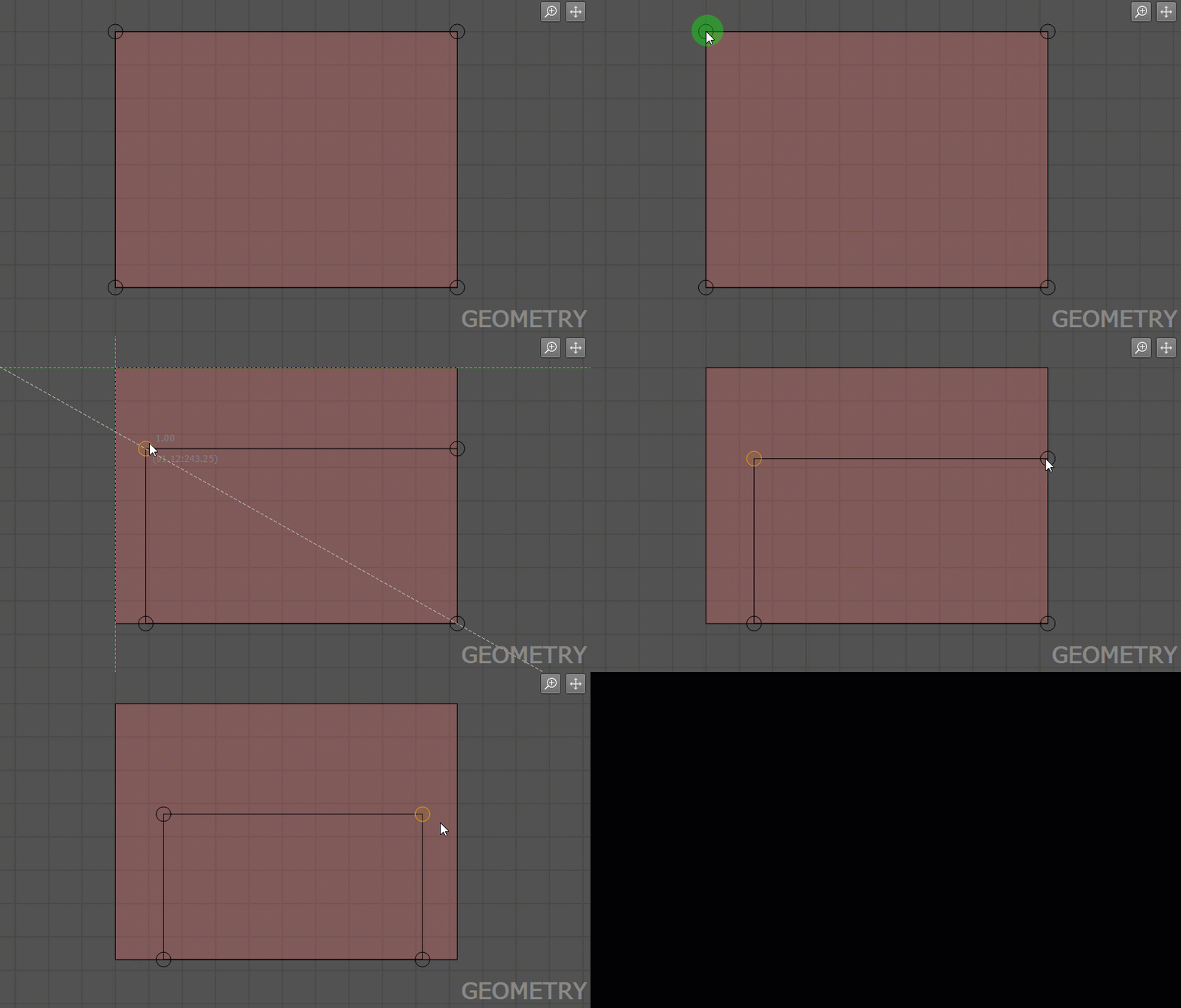
When editing control points with the Rectangle patch, an additional diagonal smart guide is displayed.
- In the Input panel, it corresponds to the aspect ratio of the resulting image defined in the Output panel.
- In the Output panel, it corresponds to the aspect ratio of the image currently defined in the Input panel.
In addition, working with the Rectangle patch follows the general principles for working with patches outlined in the Editing Patches section of the documentation.
Last updated on