



Transform 2D
The Transform 2D node allows you to apply static or dynamic post-processing transformations to the patches. Typically, it is used to position, move, scale, rotate patches, and create various picture-in-picture effects.
The Transform 2D node connects to the Transform Matrix input parameter of the target patch node.
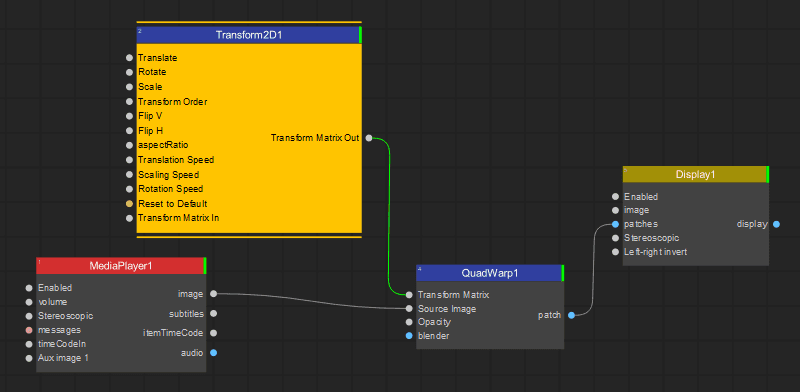
Note: The advantage of using the Transform 2D node is that you can apply transformations to the image output while preserving the settings and geometry of the target patch node.
The Settings panel of the Transform 2D node provides the following transformation controls:
Anchor Point Adjusts the transform origin used for rotation and scaling. The default is (0.5, 0.5), the center of the patch.
Translate Offsets the patch horizontally (X) and/or vertically (Y) by the specified factor.
Rotate Rotates the patch around Anchor Point by the specified angle.
Scale Scales the patch relative to Anchor Point by the specified factor.
Transform Order Selects the order in which transformations are applied, for example, Scale, Rotate, Translate.
Flip V Flips the patch vertically.
Flip H Flips the patch horizontally.
Aspect Ratio Stretches the patch horizontally by the specified factor.
Reset to Default Resets all transformations applied to the patch by the Transform 2D node.
The following speed parameters are hidden by default. To display them, click Show in Hidden Parameters in the Settings panel. See Hiding/Showing Individual Node Parameters.
Translation Speed Sets the speed of continuous horizontal (X) and/or vertical (Y) movement.
Scaling Speed Sets the speed of continuous scaling relative to Anchor Point.
Rotation Speed Sets the speed of continuous rotation around Anchor Point.
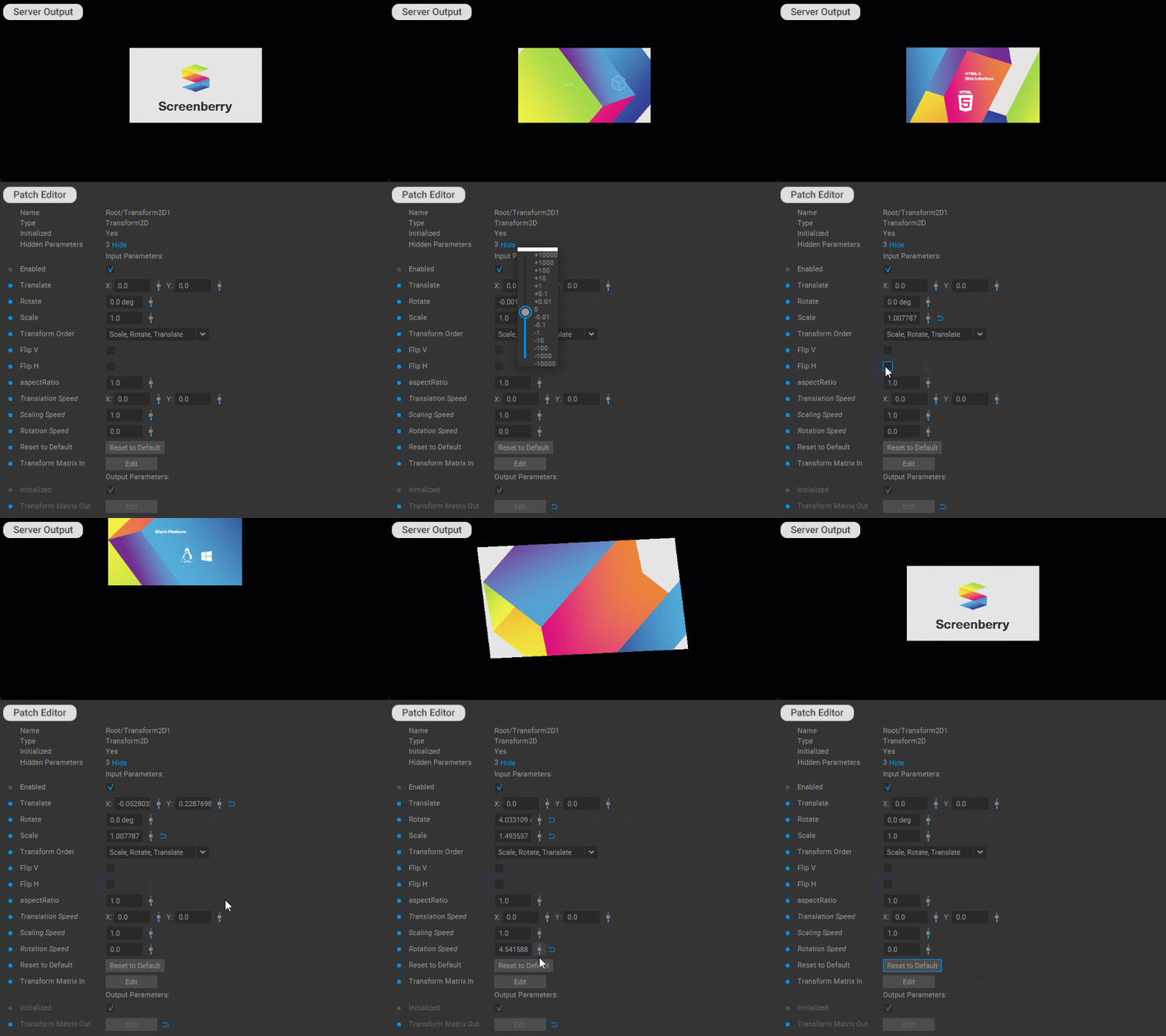
In addition, working with the Transform 2D patch follows the general principles for working with patches outlined in the Editing Patches section of the documentation.
Last updated on